Published
October 13, 2026
Product update 14/10: Quotes without a 3D model

On Wednesday 14 October, Spotable gets a big update. Here are the main changes up front, so nothing catches you off guard when you log in.
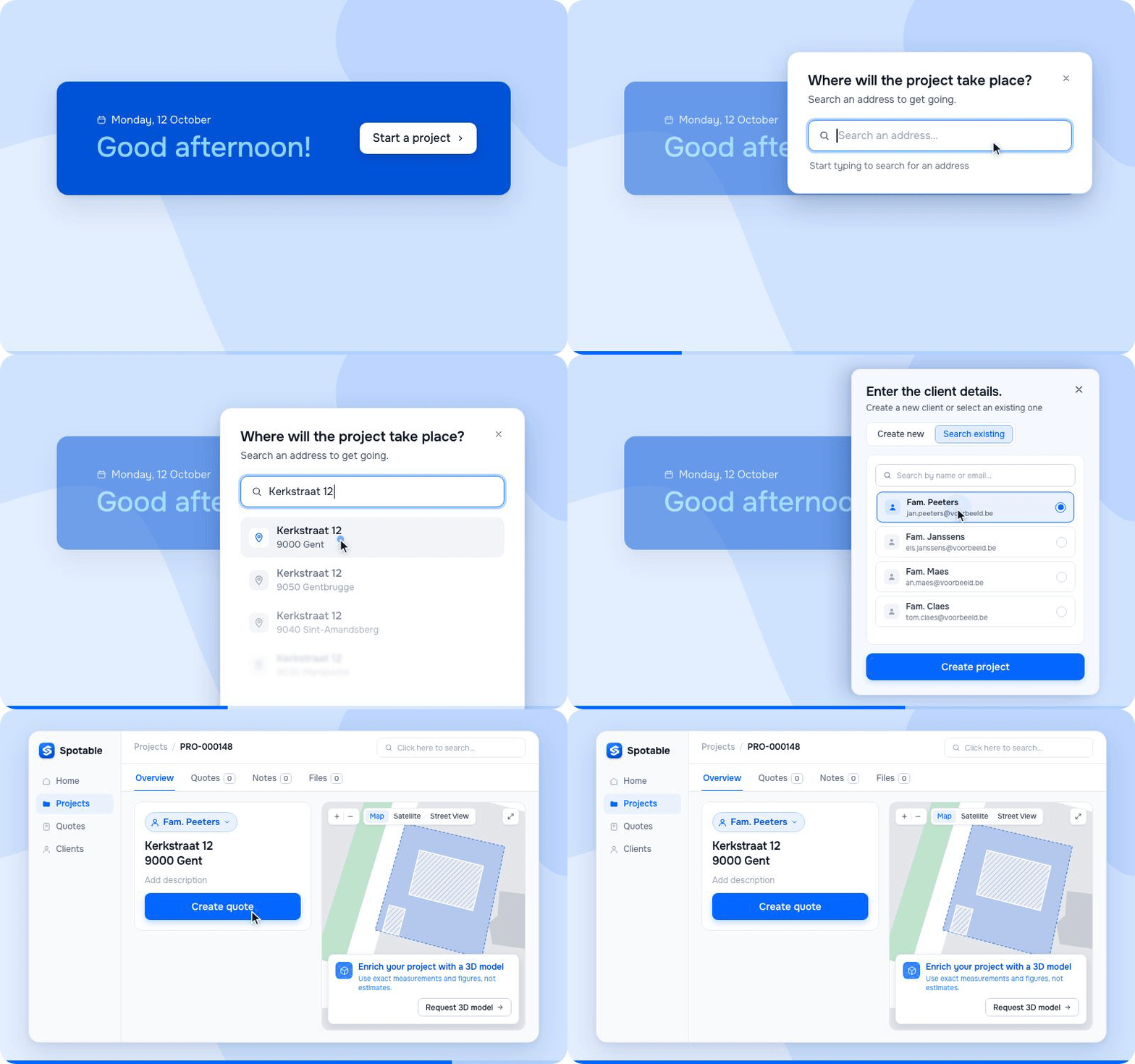
Everything starts with a project
You create a project from an address. Then you link an existing client to it, or add a new one.
From that project you do the rest: you create your quotes, add measurements and request a 3D model when you need one.
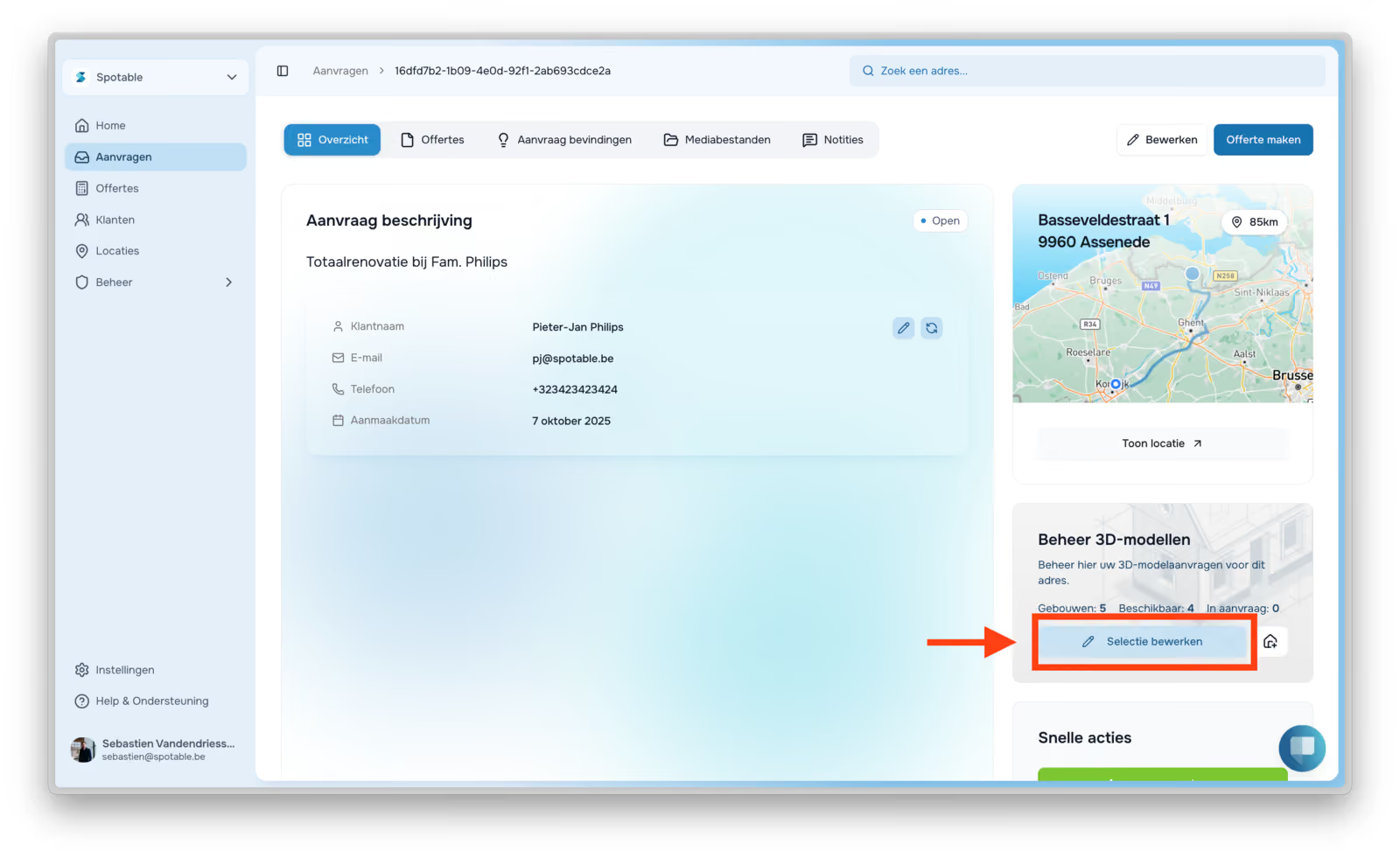
A new project starts without a 3D model. Need one? Request it after you've created the project.

Creating a quote is now much more flexible
You no longer need a 3D model for a quote. Handy for a new build, a small repair or a job you'd rather measure yourself. Build the quote line by line with your existing work items, or let the configurator set them up for you.
You're also no longer tied to a single margin for the whole quote. You can set margins per work type (labour, materials, equipment and subcontracting).

Add your measurements separately
Enter them manually, take them from the 3D model if you've requested one, or upload a bill of quantities.
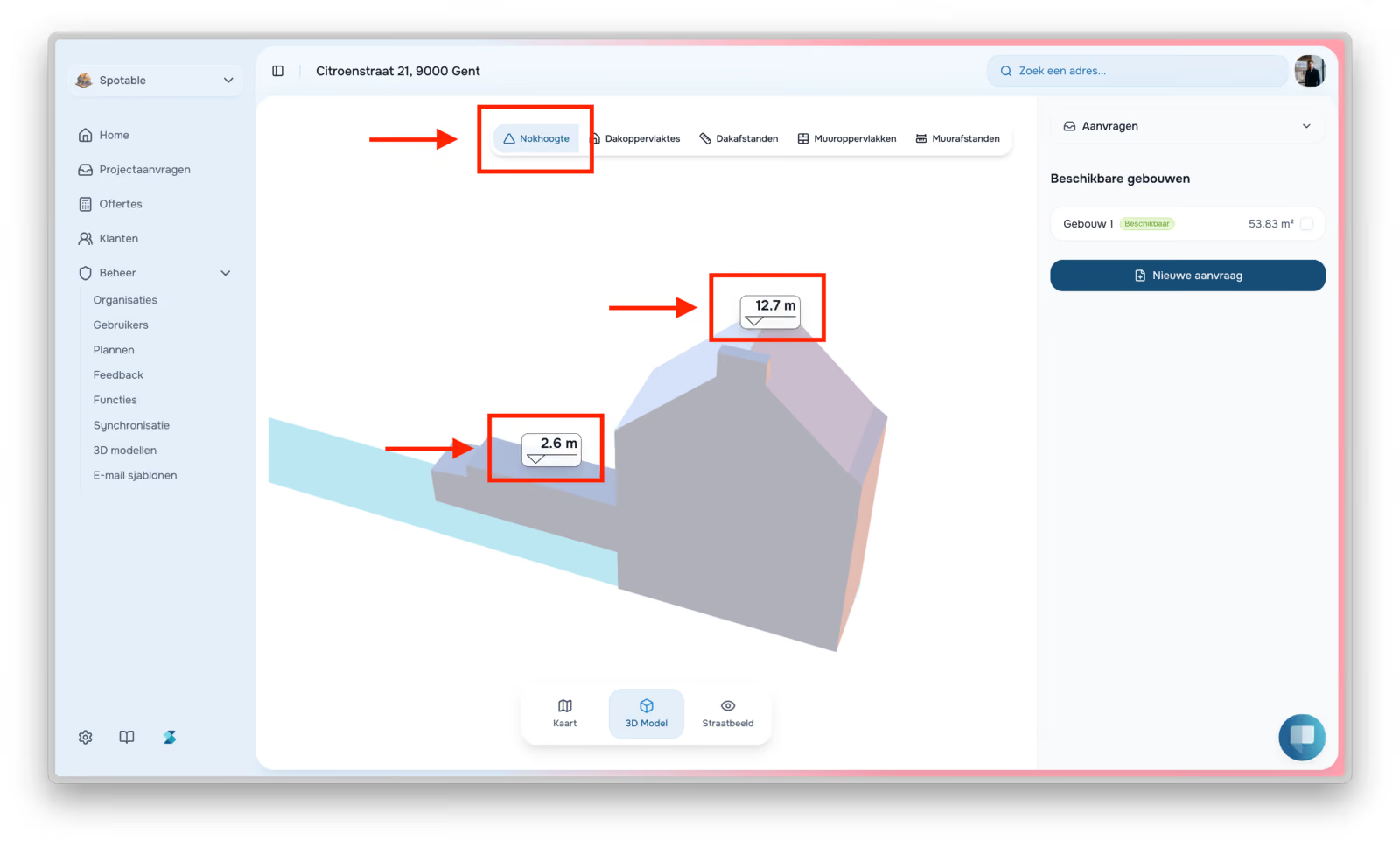
With the 3D model, you make your selections directly on the model.

Facade work too
You can now also quote facade work, with the Spotable work catalogue of work items and smart products made for facades. Or let the facade configurator select them for you.
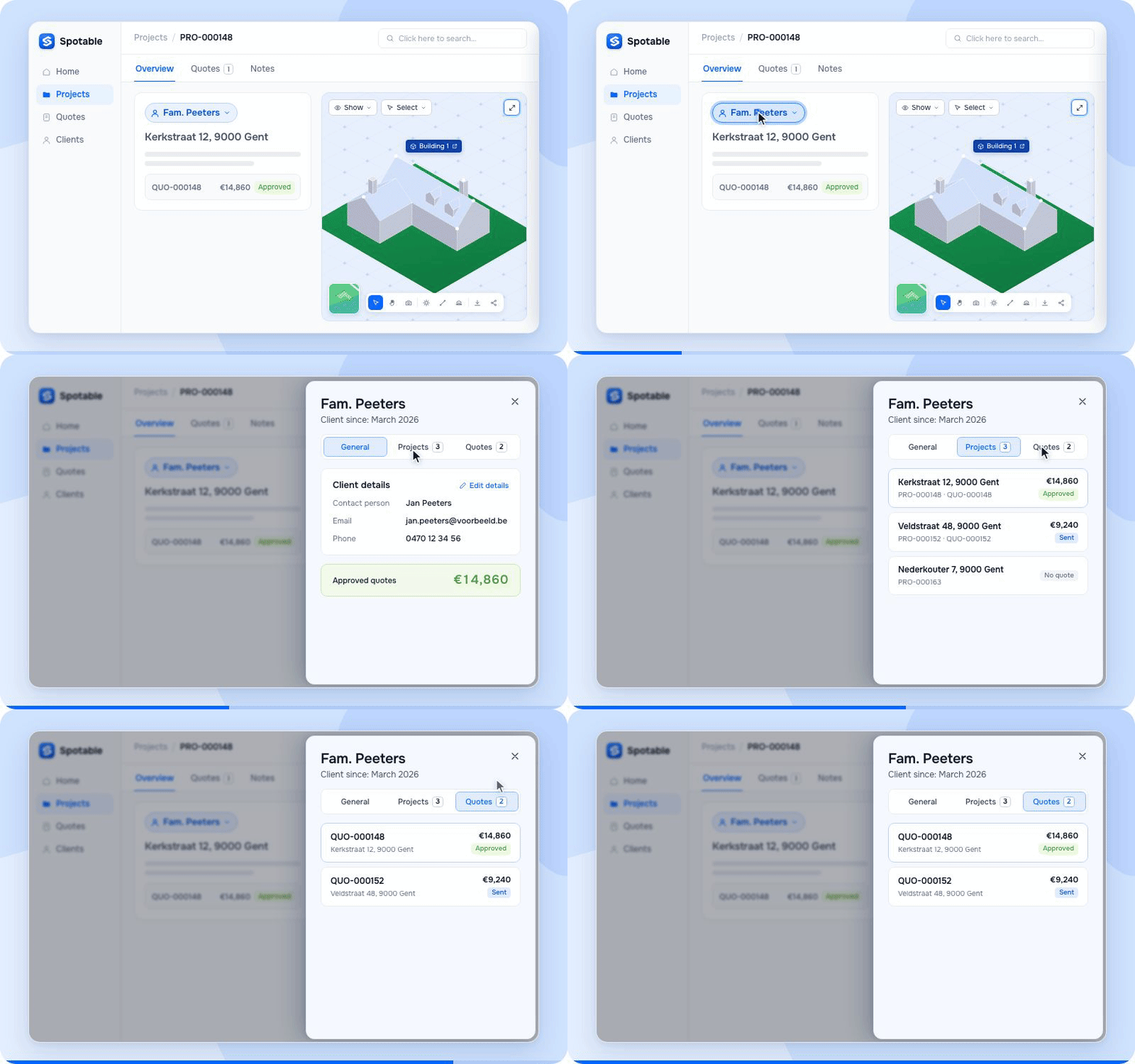
Everything about a client in one place
Click on a client anywhere and a side panel opens. It shows their contact details, with all of that client's projects and quotes below.
Other work on top of the roof? Add it to your quote, or make a separate quote for it. Everything stays under the same client.
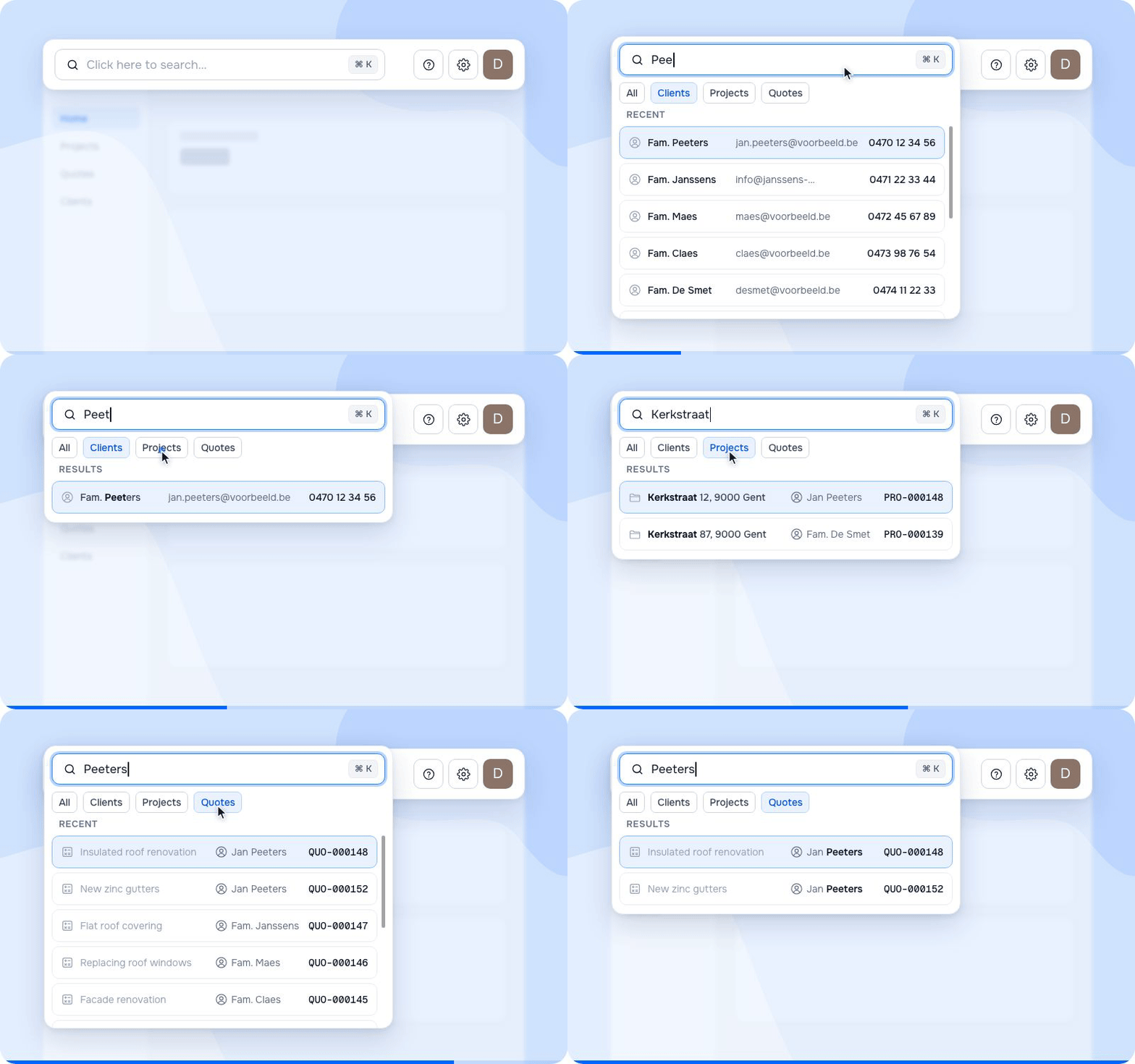
A smart global search
There's a search bar at the top of every page. Use it to find projects, clients and quotes. Your settings are at the top right.
After the update, a short pop-up appears on every screen that has changed, showing you what's new.
What's coming next
- Create invoices in Spotable.
- Personalise quotes further. You decide in detail what your client sees.
- Create your own templates and use them to build quotes.
Frequently asked questions
Which jobs can I quote without a 3D model?
Any job where a 3D model adds little. Think of a new build, where there's no roof yet, or a small repair or replacement. If you'd rather measure yourself, just enter your own measurements. For a full roof, a 3D model is still handy: request it after you've created the project.
Can I still use a 3D model for my quote?
Yes. A new project now starts without a 3D model. You request the model after creating the project. Once it's ready, you add your measurements by making selections on the model. Almost always work with a 3D model? Then request it straight away for every new project.
Can I put other work in the same quote as the roofing?
Yes. Add the extra work to your quote, or make a separate quote for it. All quotes stay under the same client. Click that client to see their contact details, with all their projects and quotes below.
Where are my settings after the update?
At the top right of every page. Looking for a client, project or quote? Use the search bar at the top of every page.


Other
Product updates
The latest industry news, interviews, technologies, and resources.