Published
April 16, 2026
Product update 16/04 project request flow
Hi there,
We've been working hard behind the scenes, and today we're excited to share one of our biggest product updates yet: a fully overhauled project request flow and a brand new project request detail page.
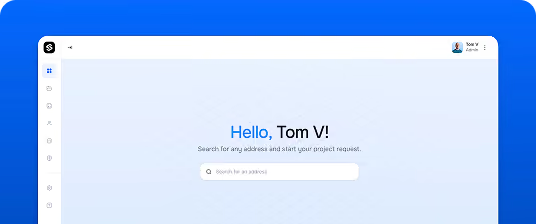
A cleaner, simpler starting point
It all begins the same way you're used to with an address. But from there, everything has changed. Thenew flow is simplified, distraction-free, and fully fullscreen, so you can focus entirely on the task at hand.
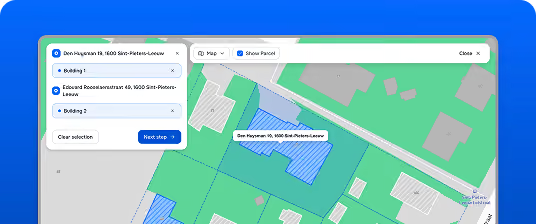
A fullscreen map to select exactly what you need
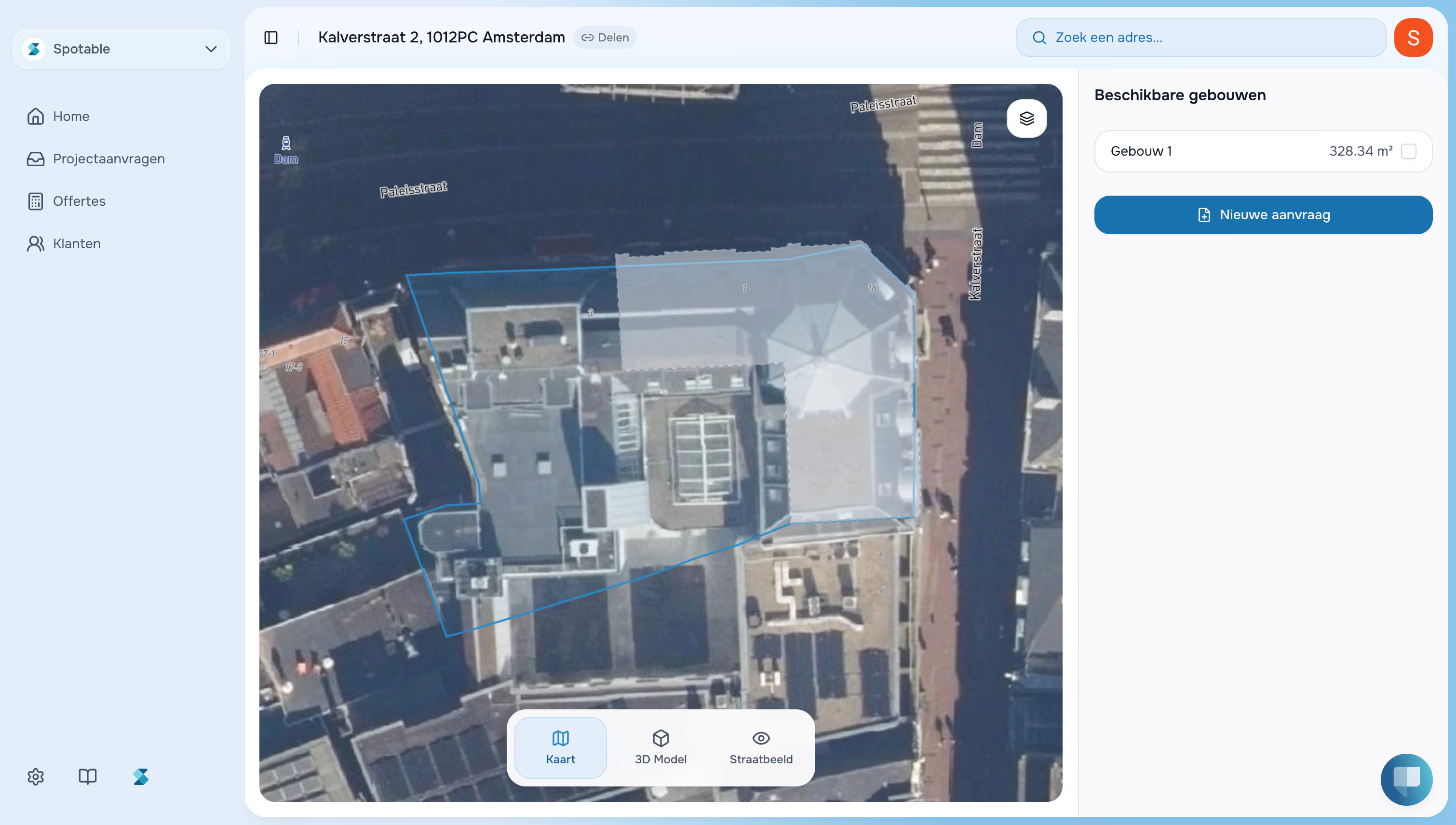
Once you've entered an address, you're taken into a fullscreen map view of the plot. You can now select multiple structures within the same plot and even structures on adjacent plots. This means you can bundle multiple buildings into a single project request, saving you time and keeping your work organized.
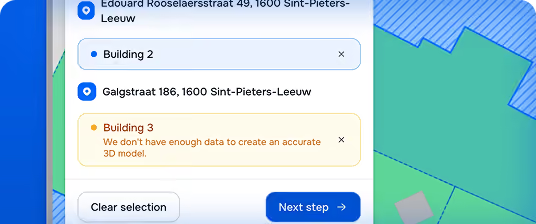
Instant 3D model availability check
As you select structures, Spotable automatically checks whether we have enough data to generate an accurate 3D model for each one. No more uncertainty you'll know right away what's possible before you submit.
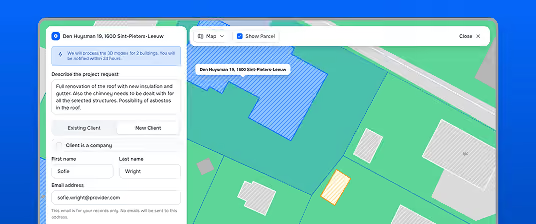
Describe, link a client, and go
In the final step, describe the project, link an existing client or create a new one, and see a clear indication of how many credits will be charged for the 3D models you've requested. Everything in one place, before you hit submit.
Project request details, reimagined
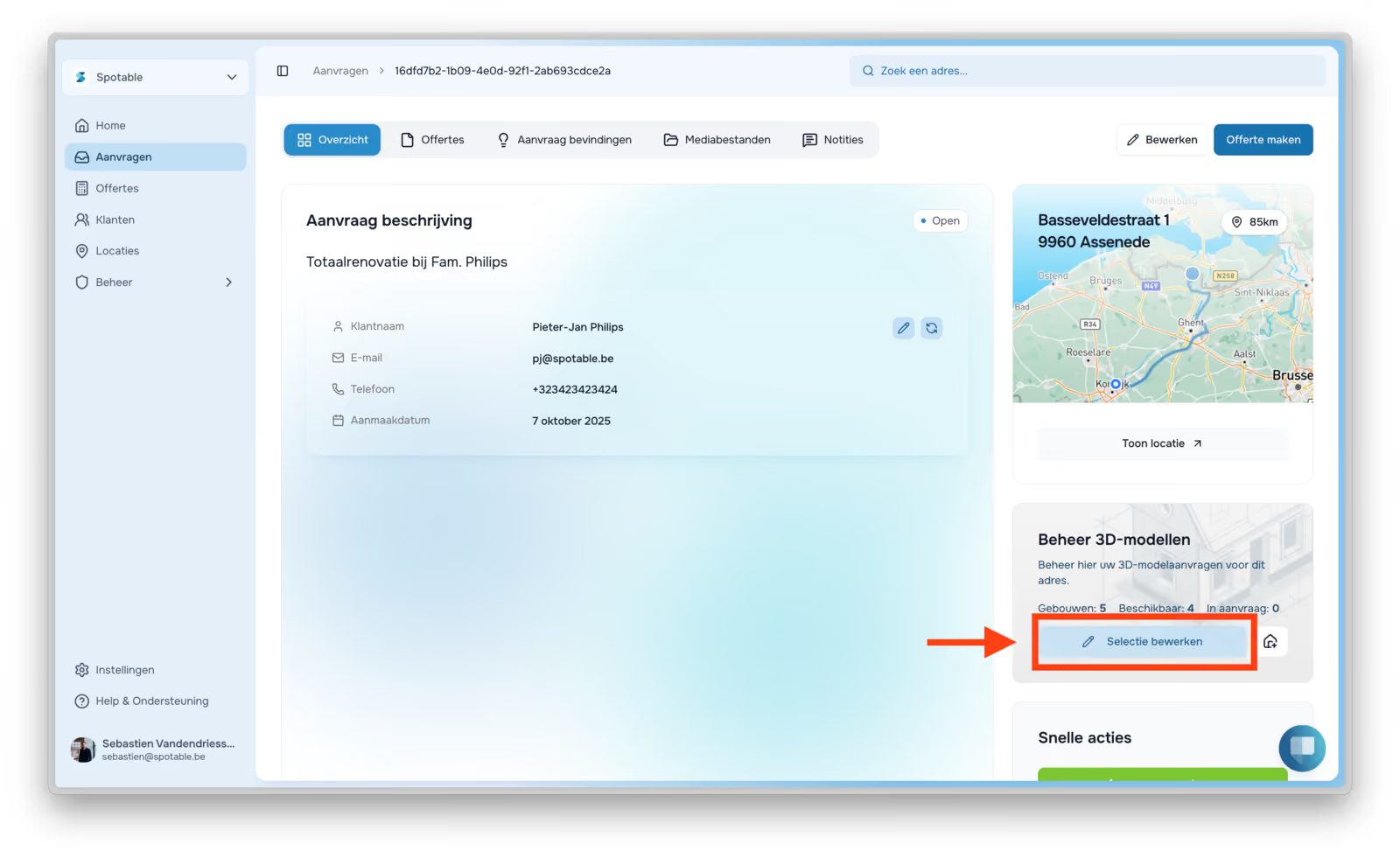
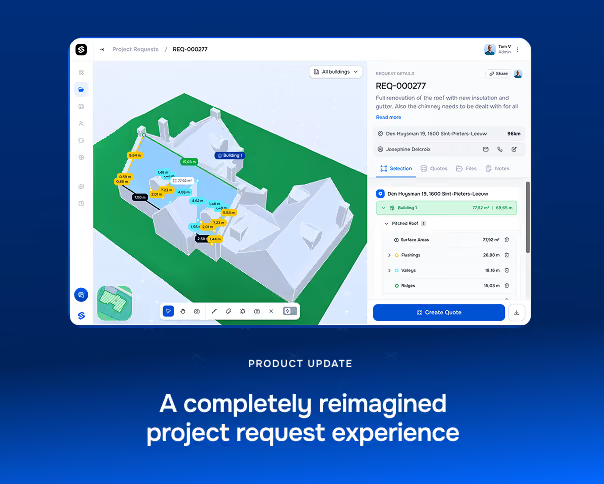
We didn't stop at the flow. The project request detail page has been overhauled from the ground up.
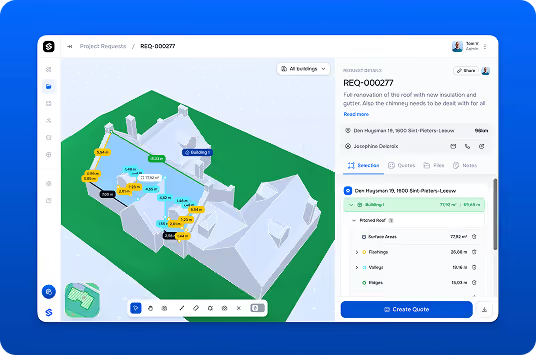
Your 3D model, front and center
The new page is built around our redesigned 3D viewer. The structures in your project request take center stage, giving you a clear and immersive view of exactly what needs to be worked on.
A structured side panel for everything else
To the right, a clean side panel keeps all the important information at your fingertips: the request ID, description, address, and the client the request is linked to. Four tabs keep things organized:
- Selection: Click directly on surfaces and edges in the 3D model to build out your project. Selections are compiled into a clear table that can be exported as a measurement report or used as the basis for a new quote.
- Quotes: A full overview of all quotes linked to the request and their current status.
- Files: All files relevant to the project request, in one place
- Notes: A space for internal notes about the request.
The idea is simple: better structured project requests lead to more accurate quotes. The new detail page is designed to make that connection seamless.We're really proud of this one and can't wait to hear what you think.


Other
Product updates
The latest industry news, interviews, technologies, and resources.